
Showing posts with label Telugu Softwares. Show all posts
Showing posts with label Telugu Softwares. Show all posts


PowerISO 5.6 Portable

PowerISO 5.6 Portable | 9 Mb
Create, edit, extract, convert, compress, encrypt, mount CD image file!!! PowerISO is a powerful image processing and file compression tool, which allows you to create, extract, compress, edit and convert ISO/BIN image files, and mount these files with internalvirtual drive. And most of all, the compressed files can be used directly without decompressing.
Support ISO, BIN, NRG, IMG, DAA, ...
Open, Create, Edit, Extract ISO File...
Compress, Encrypt, Split ISO File...
Integrated with internal Virtual Drive...
Main Features:
Support almost all CD/DVD-ROM image file formats (ISO, BIN, NRG, IMG, DAA and so on).
Note: DAA (Direct-Access-Archive) is an advanced format for image file, which supports some advanced features, such as compression, password protection, and splitting to multiple volumes. It can be handled directly just like other formats, such as ISO, BIN, ...
Supports on-the-fly burning.
Supports UDF image file.
Create image file from hard disk files or CD/DVD-ROM.
Edit an existing image file.
Can edit and burn Audio CD image file.
Extract files and folders from image file.
Convert image files between ISO/BIN and other formats.
Make bootable image file, get boot information from bootable image file.
Make floppy disk image file.
Optimize files to save disk space while saving image files.
Mount image file with internal virtual drive. Even if the image file is saved as DAA format, the virtual drive can handle that format directly.
Support shell integration, such as context menu, Drag and Drop, clipboard...
Supports command-line parameters.
Can open XBOX image file.
Supports multiple languages
My Publications
Wise Disk Cleaner 7.81 Portable
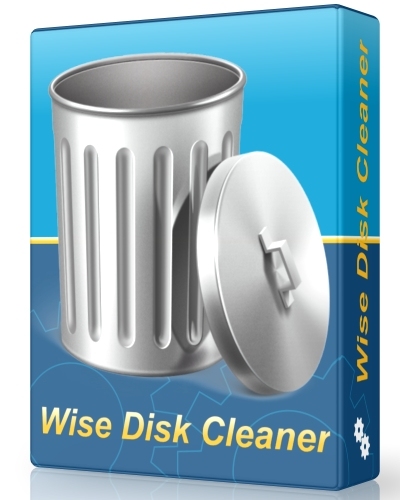
Wise Disk Cleaner 7.81 Portable | 6.39 Mb
Wise Disk Cleaner is a user friendly, fast and easy to use application developed to free up disk space by deleting junk files that are no longer used by any software on your system. Even the least experienced user can easily remove junk files with this tool. Your hard disk is littered with junk files you don't need, taking up precious hard disk space, and potentially slowing down your PC's performance. There are files of all kinds, such as temporary files that applications should delete when they're no longer needed, and various log files, index files and backup files. You'd be amazed at how much space these junk files take up.
Wise Disk Cleaner can identify more than 50 types of junk files, and you can customize the list. The program only deletes the files that you tell it to. You can choose to have the files permanently deleted, or else first moved to the Recycle Bin. And you can have the program do the cleanup automatically, or you can do it manually. You'll be amazed at how much hard disk space this program can gain for you, so automatically got back plenty of hard disk space. (For example: On my laptop, it found 872 MB of junk. )
The Professional Edition provides many advanced options. It lets you identify more junk files and old files. And for your safety, you can move these files to a designated folder, allowing you to restore them if needed.
My Publications
blazePhoto Professional 2.6.0.0 Portable

BlazePhoto Professional 2.6.0.0 Portable | 29 mb
BlazePhoto 2 lets you manage, edit, share, and view your pictures from where you store them on your computer or other portable devices. The powerful search feature in this photo editor tool can help you find pictures whereever they are like your local folder on hard drive, scanner or other video devices, camera, etc. Additionally, this photo editor enables you to correct pictures if needed: rotate, flip, resize, crop, remove red eye, adjust brightness, contrast, hue, saturation in color, set blur/sharp, enhance effects, add text/clips/frame/fliter. With BlazePhoto, you can also share your pictures in more place: html albums, CD, slideshow DVD, export to other folder, send to friends or family by e-mail, or print out for later sharing.
Best Photo Manager
• Add photos anywhere they are: local folder, local hard disc, photo scanner, film scanner, camera, or other removable devices
• Manage your photos by creating or editing personal categories or tags
• Display to preview photos in various ways: single picture, thumbnail, filmstrip, full screen, slideshow, or sort by film name, date, file type, or file size
Powerful Photo Editor
• Adjust the color and lighting aspects (brightness, contrast, hue, saturation) of your photo to produce a more visually enhanced picture
• This photo editor is also powered by its multiple effects: blur/sharp, enhance effect (normalize, stretch or equalize), other special effects (emboss, gray, music, motion, windy),
• With this helpful photo editor, you can create unique images by adding text, clips, frame or use its powerful photo editing features like rotate, flip, resize, crop
Effective Photo Sharing Software
• After you have finished to edit the pictures, you may want to share them with your friends or family
• You can send the pictures in email message, or you can create the images as a html album for web sharing, burn pictures into a CD, make a photo slideshow DVD
• Moreover, you can also choose to print the pictures out at home or office
My Publications


Subscribe to:
Posts (Atom)